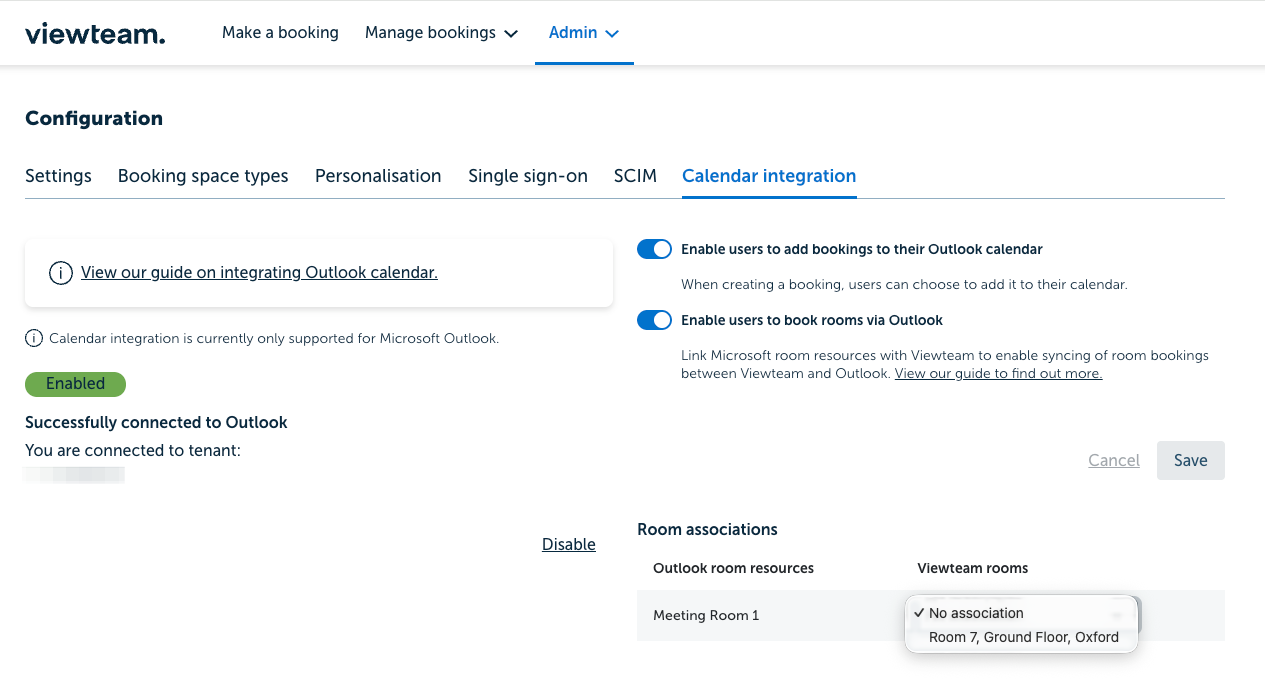
Setting up calendar integration with Outlook
This page walks you through setting up calendar integration with Outlook.
Viewteam Enterprise plan is required.
Note: only admins and account owners can configure Outlook.
-
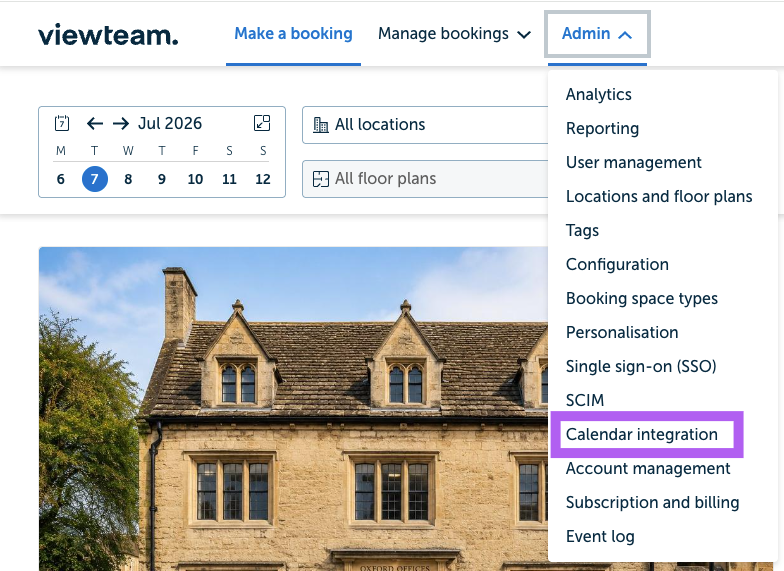
Log in to Viewteam and go to Admin -> Calendar integration
-
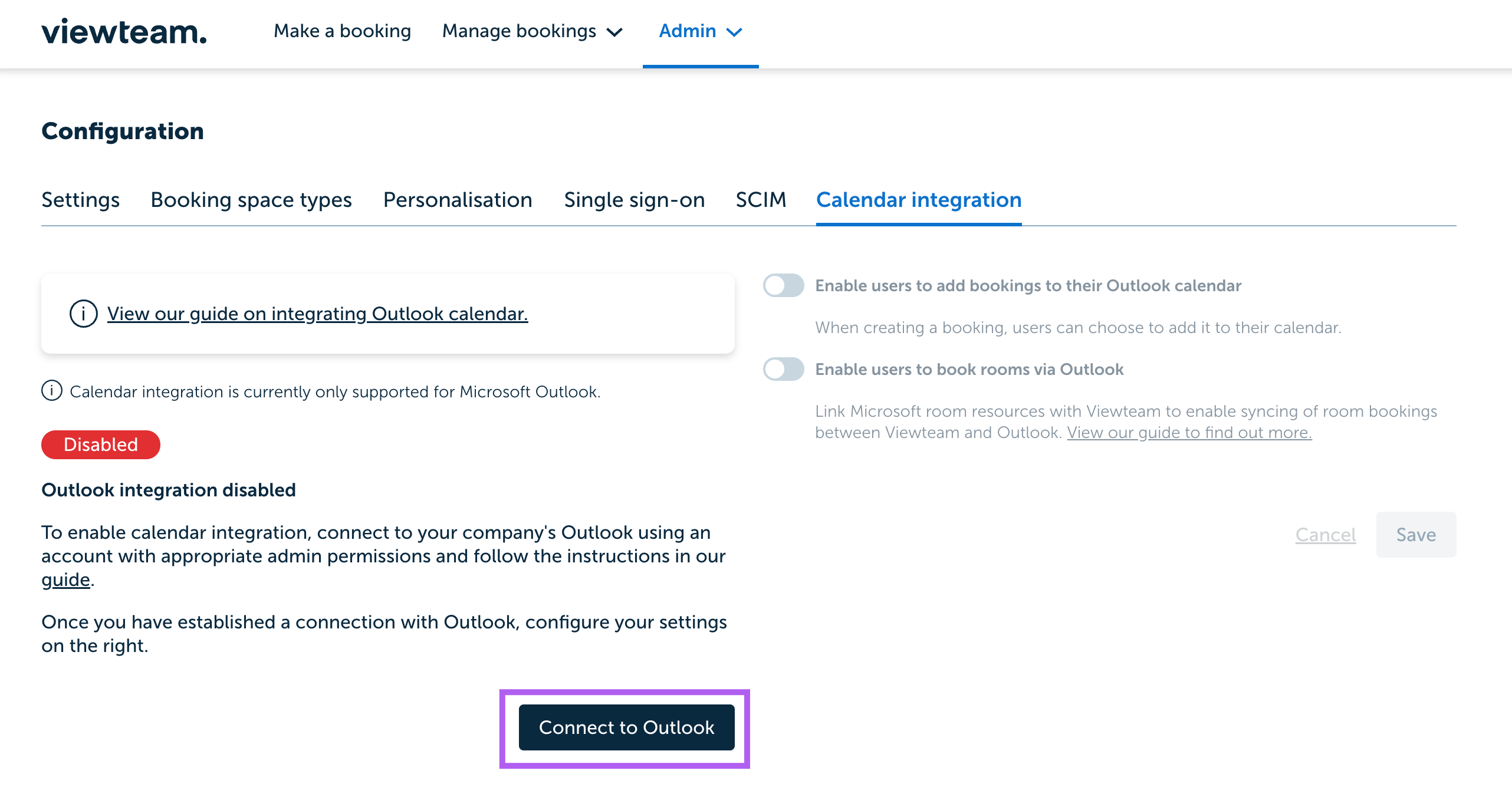
Click the 'Connect to Outlook' button
-
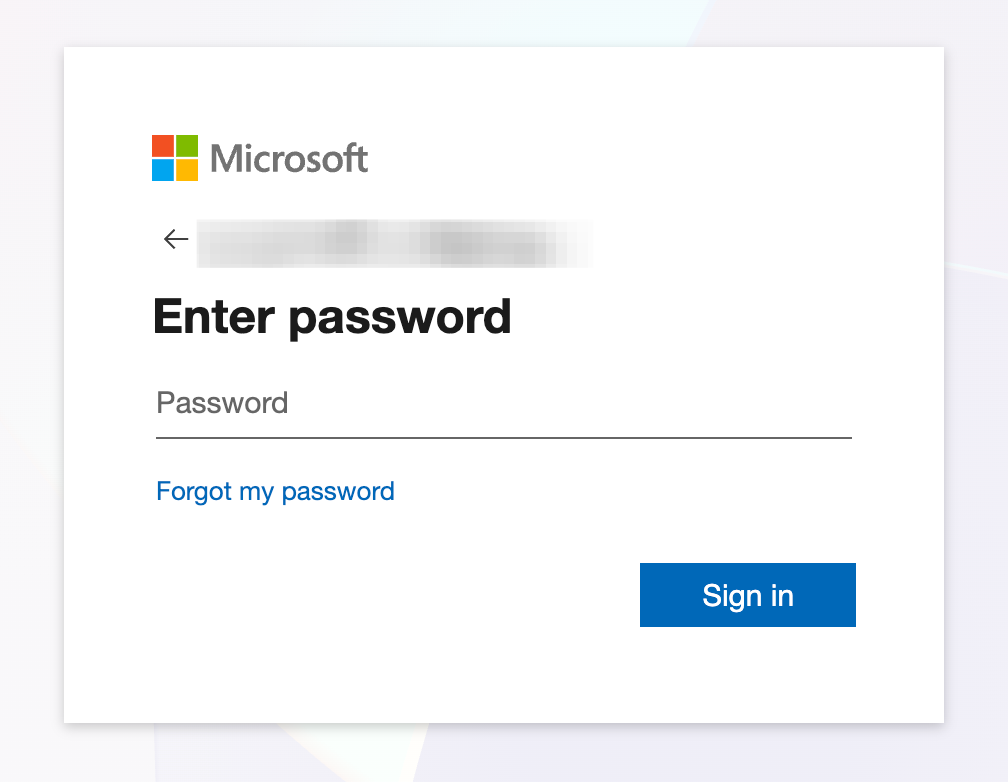
Log in to Microsoft. Please note: the account will need admin rights
-
Accept the permissions by clicking 'Accept'
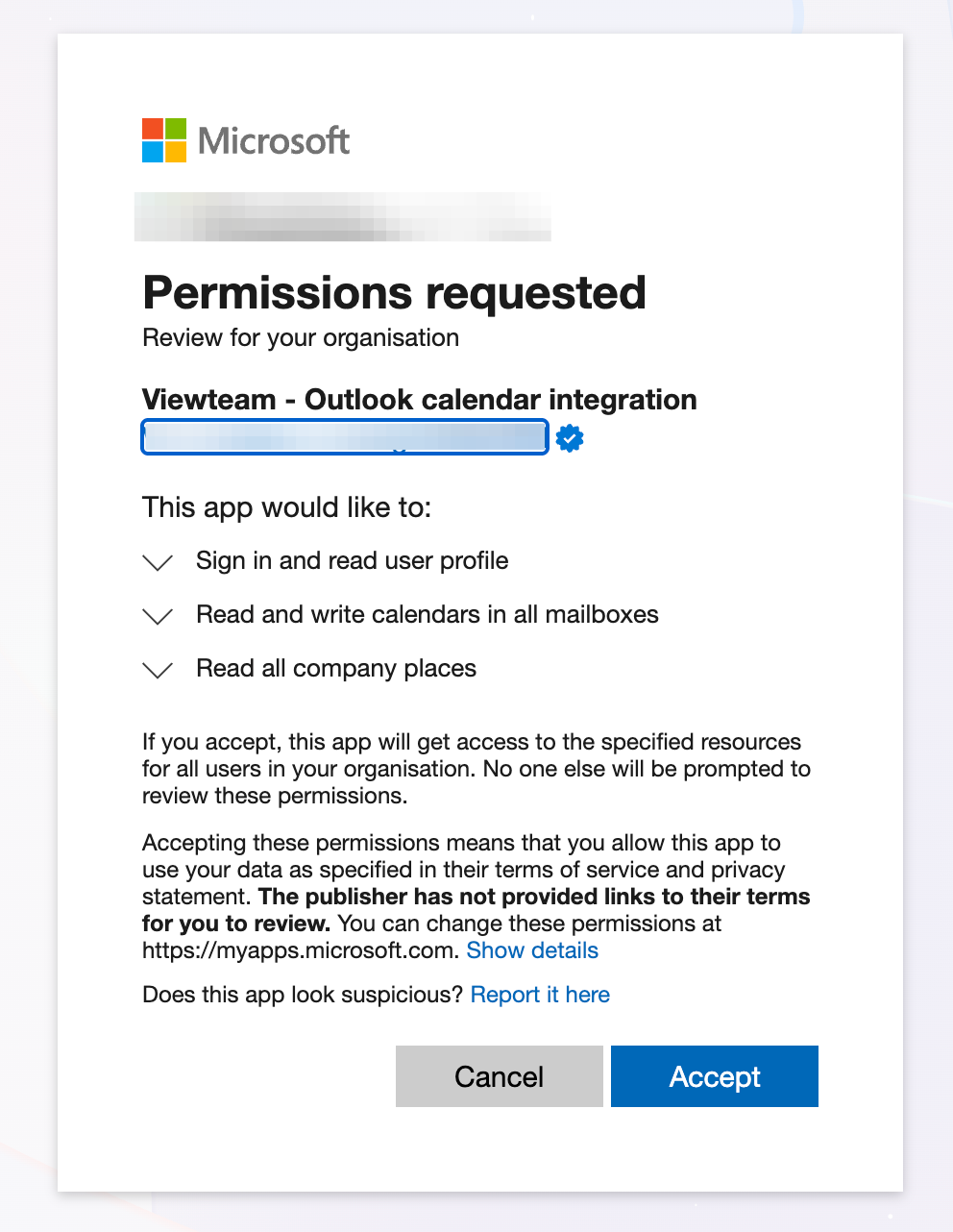
-
You should then be returned to Viewteam and the calendar integration should be shown as 'Enabled'
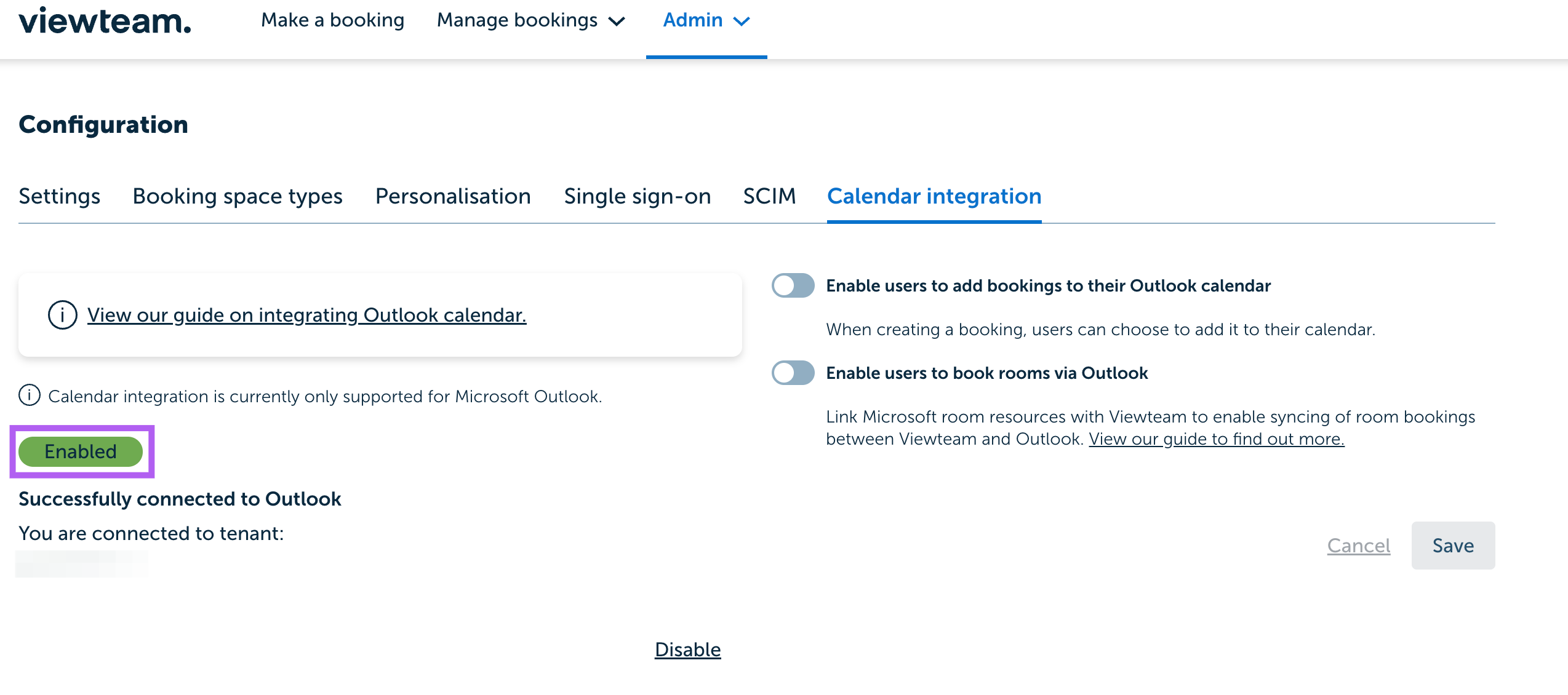
- By using the toggles on the right, you can choose to 'Enable users to add bookings to their Outlook calendar', or if you want to 'Enable users to book rooms via Viewteam'
Adding rooms
-
In MS Exchange Admin center click 'Resources' from the menu
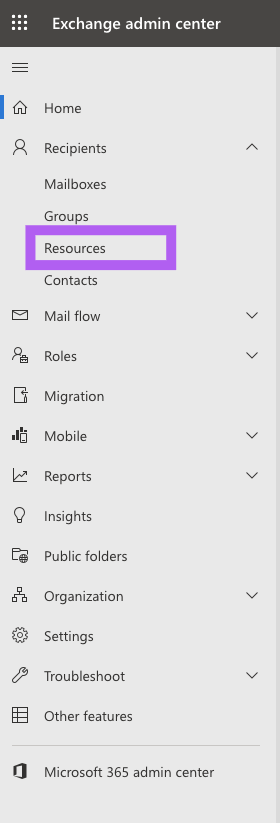
-
Add a room resource selecting the options relevant to your organisation
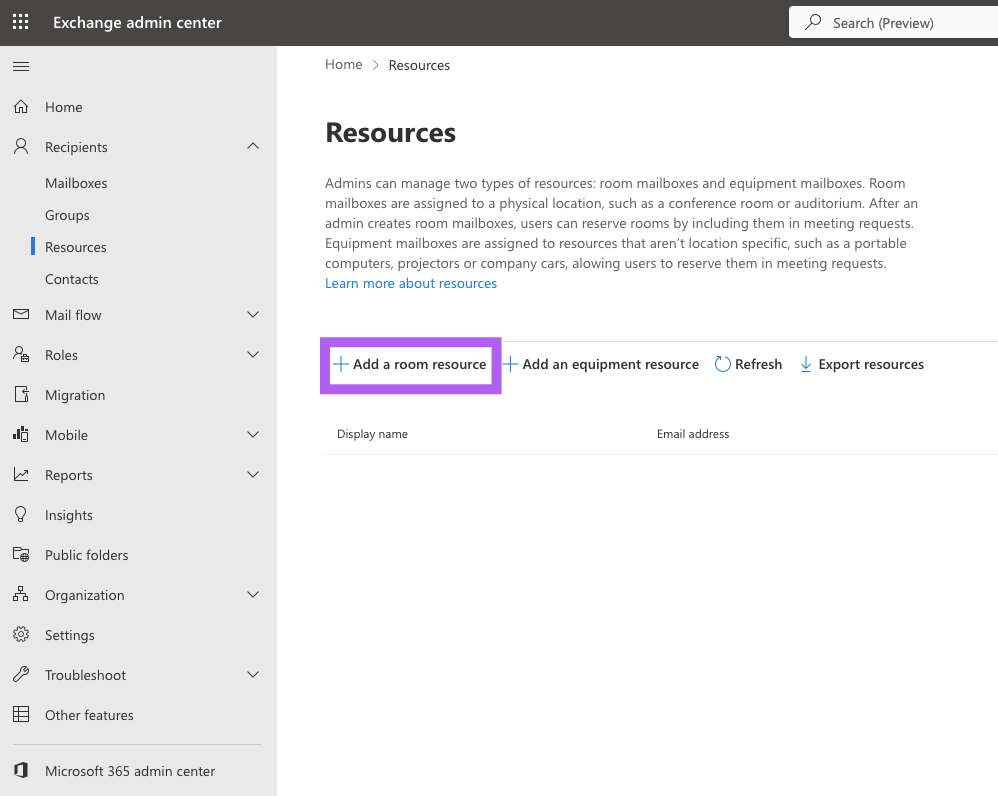
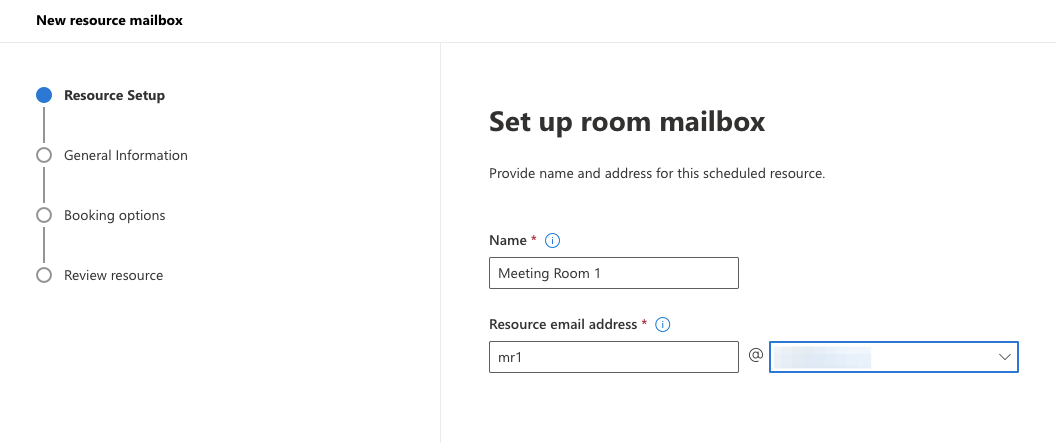
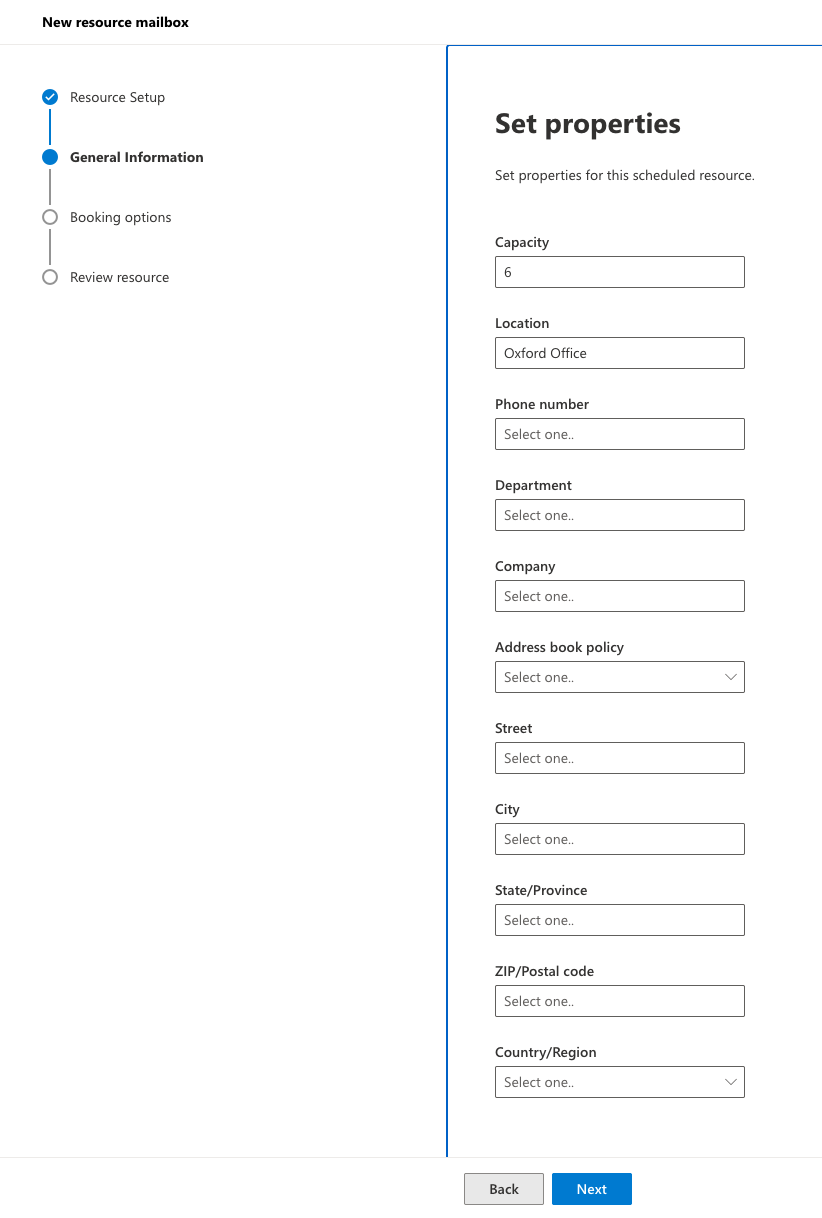
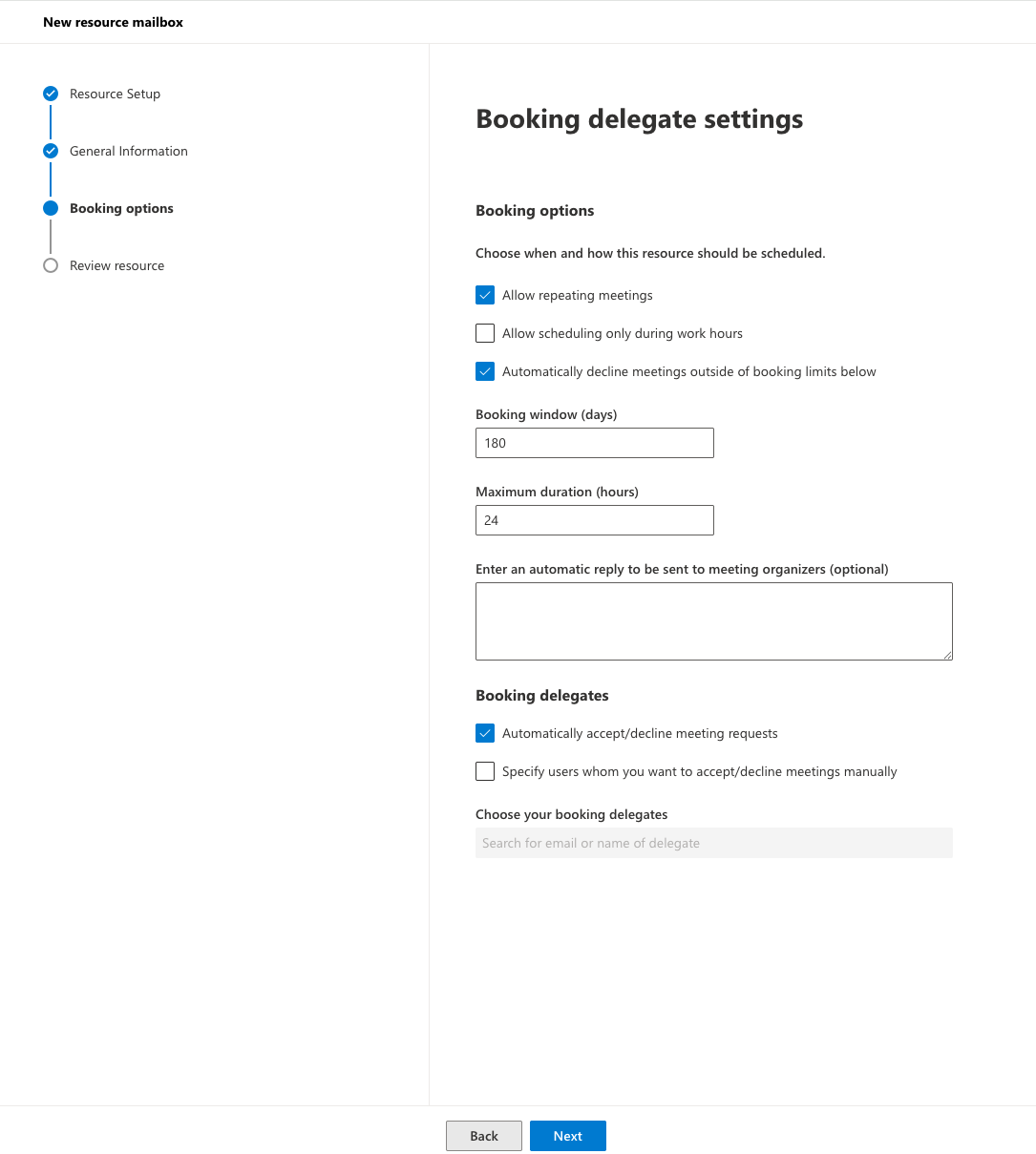
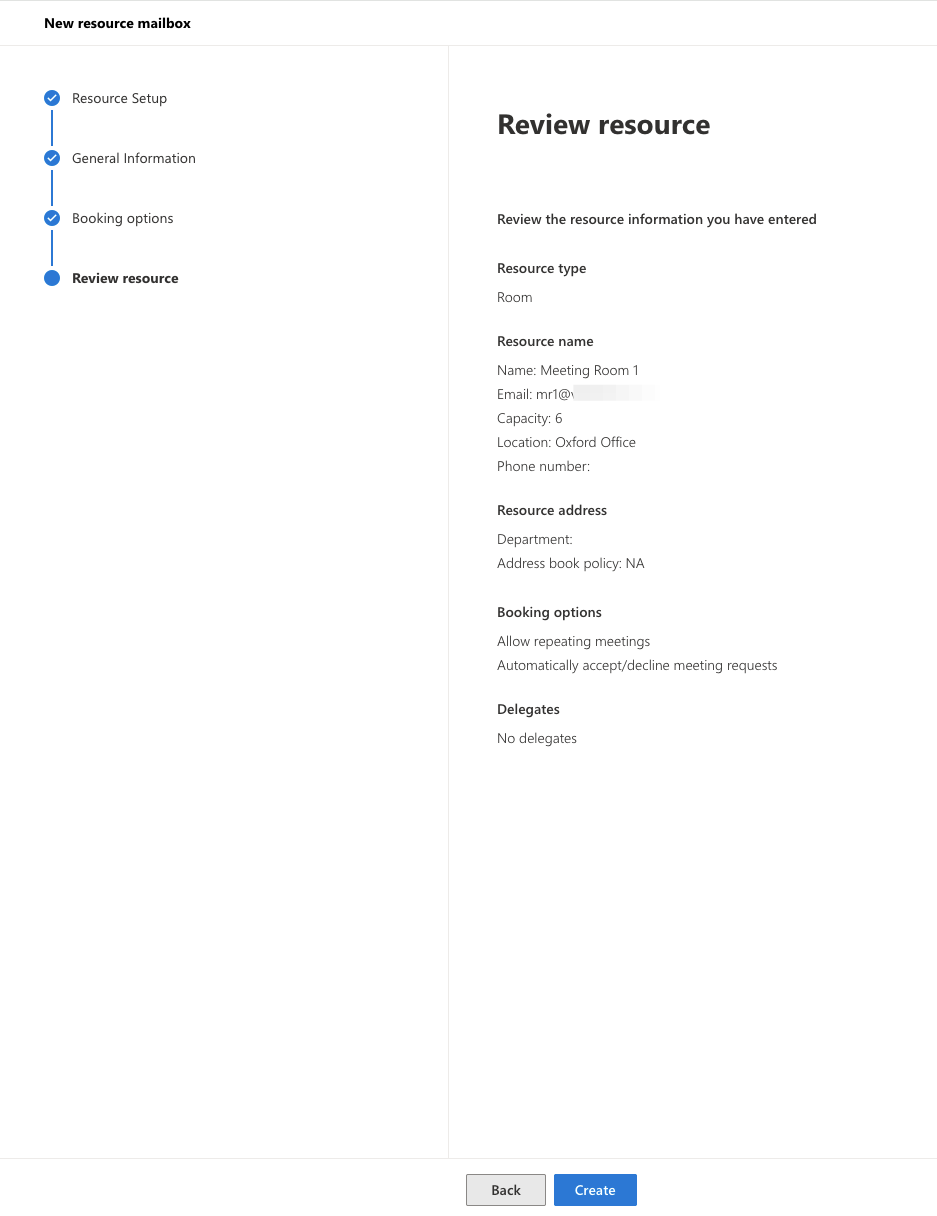
- It can take a while for the room to show in Viewteam
-
Once the room shows up in Viewteam, you can link it to the relevant room